
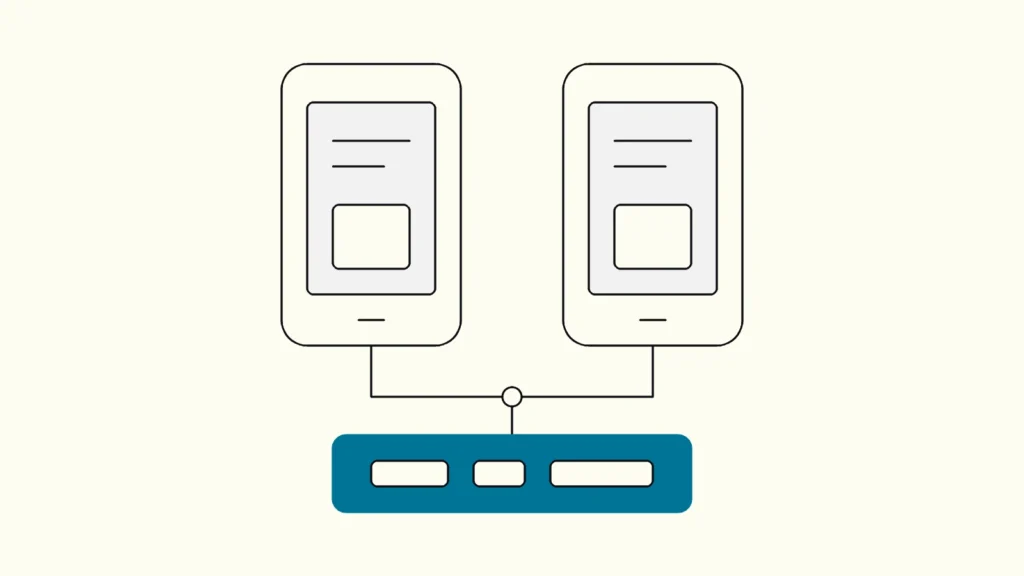
A decision table for product leads who need one app on iOS and Android, and want to know what each approach costs over the product's life.
In short
Choose native development in Swift and Kotlin when the app depends on deep platform features, top performance or platform-specific design. Choose Flutter when you want one codebase with a consistent, custom interface on both platforms. Choose React Native when your team already works in React and TypeScript and the app should feel close to each platform's native controls.
Most companies that plan to build an app (utveckla app) face the same first question: two native apps, or one cross-platform codebase with Flutter or React Native? This comparison is written by Devies, a Gothenburg-based product and engineering consultancy, for product owners, CTOs and founders who need a defensible choice before app development (apputveckling) starts. It explains how each option works, compares them on the criteria that matter for a business, and ends with clear signals for each choice.
How do native, Flutter and React Native apps work?
A native app is written separately for each platform with the platform's own tools, while Flutter and React Native let one codebase run on both iOS and Android. The difference between the two cross-platform options lies in how they draw the interface.
- Native development means building the iOS app in Swift, usually with SwiftUI, and the Android app in Kotlin, usually with Jetpack Compose. You get full access to every platform feature on the day it ships, at the cost of two codebases and often two teams.
- Flutter is Google's open-source framework, written in the Dart language. According to the Flutter architectural overview, Flutter has its own implementation of each UI control rather than using the platform's, and Dart code is compiled to native code that uses the Impeller renderer. Platform APIs such as Bluetooth are reached through platform channels or a foreign function interface.
- React Native is Meta's open-source framework, written in JavaScript or TypeScript with React. It renders the platform's own native views. Since version 0.76, the New Architecture is enabled by default, replacing the old asynchronous bridge between JavaScript and native code with the JavaScript Interface (JSI).
The practical consequence: a Flutter app looks the same on both platforms unless you design otherwise, while a React Native app inherits more of each platform's native look and behaviour. Both still need some native code for unusual hardware or platform features.
Flutter, React Native or native: a decision table
The best option depends on the app's interface ambitions, hardware needs, the skills you have and how long you will maintain the app. The table compares the three on the criteria that most often decide the matter.
Criterion
Native (Swift and Kotlin)
Flutter
React Native
Codebases
Native (Swift and Kotlin)
Two
Flutter
One, plus small native parts when needed
React Native
One, plus small native parts when needed
Language and skills
Native (Swift and Kotlin)
Swift and Kotlin, platform specialists
Flutter
Dart, easy to learn for most developers
React Native
TypeScript and React, shared with web teams
Interface
Native (Swift and Kotlin)
Exactly the platform's own controls
Flutter
Own rendering, pixel-consistent custom design
React Native
Platform's native views via React components
Access to new platform features
Native (Swift and Kotlin)
Immediate
Flutter
Through plugins or own native code
React Native
Through libraries or own native code
Performance
Native (Swift and Kotlin)
Best possible
Flutter
Very good for most business apps
React Native
Very good for most business apps
Hardware access (BLE, sensors, camera)
Native (Swift and Kotlin)
Direct
Flutter
Through plugins and platform channels
React Native
Through native modules
Code sharing with web
Native (Swift and Kotlin)
None
Flutter
Limited
React Native
High, with React web apps
Typical cost
Native (Swift and Kotlin)
Highest: two implementations
Flutter
Lower: one implementation
React Native
Lower: one implementation
Main risk
Native (Swift and Kotlin)
Two apps drift apart in features and quality
Flutter
Dependency on plugin quality for edge cases
React Native
Dependency on library quality for edge cases
Choose native when
- the app's core value relies on platform features such as advanced camera processing, widgets, watch apps or deep accessibility integrations, and you need them on release day;
- performance requirements are extreme, for example real-time graphics or audio;
- you have, or will fund, separate iOS and Android specialists for the long term.
Choose Flutter when
- you want one team and one codebase, with the same custom-branded interface on both platforms;
- you need several variants of the same app, such as white-label versions for different customers;
- your team has no strong existing preference and can adopt Dart.
Choose React Native when
- your developers already build web products in React and TypeScript, and you want to share skills, tooling and some code;
- the app should feel close to each platform's standard controls;
- you want to reuse business logic between web and mobile.
What do teams underestimate in cross-platform app development?
Teams underestimate the native edges: hardware integration, store releases, platform updates and testing on real devices take the same effort regardless of framework. Cross-platform saves on screens and business logic, not on everything.
Plan for these from the start:
- Hardware and platform plugins. Check that mature, maintained packages exist for every device feature you need, such as Bluetooth Low Energy, payments or background location. Budget for writing native code where they do not.
- Store review and release. Apple and Google review processes, signing and release tracks apply to every option.
- Annual platform updates. New iOS and Android versions change permissions and behaviour. Framework upgrades also need regular time in the backlog.
- Device testing. Automated tests on emulators catch most logic errors, but Bluetooth, cameras and performance need real devices. Our guide to a test automation strategy explains how to balance the layers.
- Accessibility. Screen reader support, dynamic text size and contrast must be tested on both platforms, whatever the framework.
Devies saw what a well-chosen cross-platform setup can do when building a white-label BLE app for a maker of self-powered vibration sensors. According to the case, the Flutter app reads sensor data over Bluetooth Low Energy on iOS and Android, one codebase serves several customer brands, and it went from concept to app store in 30 days.
How do you make the decision with less risk?
Make the decision with a short, time-boxed technical spike that builds the riskiest feature in your preferred option, rather than a long debate about frameworks. One to two weeks of real code answers more questions than a feature matrix.
A practical sequence:
- List the three riskiest capabilities, such as a Bluetooth connection, offline sync or a complex animated interface.
- Check the team you have and can hire. A framework your team knows ships faster than a theoretically better one.
- Build a spike for the riskiest capability on real devices on both platforms. Our comparison of a prototype, MVP or pilot helps you decide how far the first version should go.
- Estimate the five-year cost, including platform upgrades, store maintenance and the people needed.
- Decide, document why, and set a review point after the first release.
The skills question matters as much as the technology. If you are also deciding which developer roles you need, see our comparison of frontend, backend and full-stack developers.
Keep reading


From our work
 Client Case: Lea BankLea Bank rebuilt its digital platform with Strapi, React, GrowthBook, GA4, and BigQuery to improve SEO, A/B testing, and marketing autonomy.Read the case
Devies
Want a second opinion?
Devies, a Gothenburg-based product and engineering consultancy, works on questions like this with Nordic product and IT teams. Tell us where you are and we will suggest a sensible first step.
Frequently asked questions
Is Flutter better than React Native?
Neither is better in general. Flutter draws its own interface, which gives a consistent custom design on iOS and Android and suits branded or white-label apps. React Native uses the platforms' native views and lets teams reuse React and TypeScript skills from web development. The better choice is the one that fits your team's skills, your interface ambitions and the hardware features you need.
Can a Flutter or React Native app use Bluetooth and other hardware?
Yes. Both frameworks reach hardware such as Bluetooth Low Energy, cameras and sensors through plugins or native modules, which call the platform's own APIs. Where no mature package exists, developers write a small amount of Swift or Kotlin code and expose it to the shared codebase. Test hardware features on real devices on both platforms early, because emulators do not reproduce them reliably.
Is a cross-platform app cheaper than two native apps?
Usually, yes, because screens, business logic and most tests are written once instead of twice. The saving is smaller than half, since native integrations, store releases, platform updates and device testing still have to be done for each platform. Over several years, maintaining one codebase with one team is often the bigger saving than the initial build.
When should we choose native app development?
Choose native development when the app's core value depends on platform features on release day, such as advanced camera work, widgets, wearables or extreme performance. It also makes sense when you already have strong iOS and Android teams. For most business apps, such as customer portals, field service tools and companion apps for devices, a cross-platform framework covers the requirements at lower cost.