
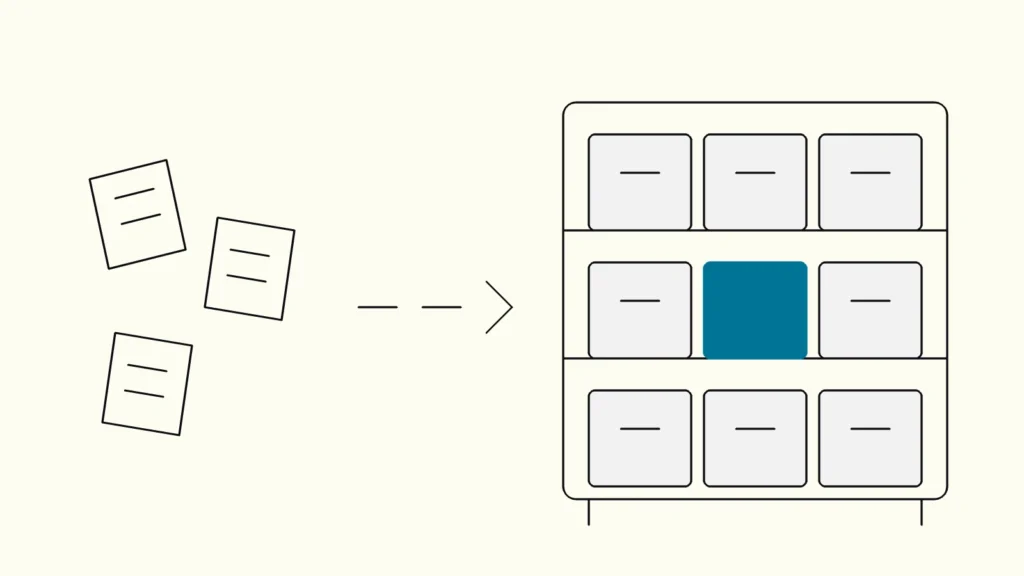
An eight-step guide to organising and labelling a website, intranet or product so that people find what they need, tested with users before anything is built.
In short
Information architecture is the structure behind a website or product: what content exists, how it is grouped and what each group is called. To build it, list and audit your content, learn how users group it with card sorting, draft a structure with clear labels, and check it with tree testing before you design menus.
When people cannot find something, teams usually redesign the menu. Often the menu is not the problem; the structure underneath it is. This guide from Devies, a Gothenburg-based product and engineering consultancy, is for product owners, marketing and content leads, and designers responsible for websites, intranets or content-heavy products. It explains what information architecture is, how to recognise a failing one, and gives an eight-step method with the two research techniques that test it.
What is information architecture?
Information architecture is the organisation, structure and naming of content and functionality, so that people can understand where they are and find what they need. In Swedish it is called informationsarkitektur, and it is often shortened to IA.
Jen Cardello's article on the difference between information architecture and navigation at Nielsen Norman Group makes the key distinction: IA is not part of the on-screen interface, but it informs it. Navigation is the set of interface elements that lets users reach information, the tip of the iceberg that sits on top of the architecture.
Concept
What it is
Visible to users?
Information architecture
What it is
The underlying organisation, structure and naming of content
Visible to users?
No, it shapes what they see
Navigation
What it is
Menus, links, breadcrumbs and filters that let users move through the structure
Visible to users?
Yes
Sitemap
What it is
A diagram of the structure, used by the team
Visible to users?
Usually not
Taxonomy
What it is
A controlled vocabulary of categories and labels used to classify content
Visible to users?
Partly, through labels and filters
Search
What it is
A way to find content directly, which depends on good labels and metadata
Visible to users?
Yes
Getting the architecture right first makes navigation design much easier, because the menu only has to express a structure that already makes sense.
What are the signs that your information architecture is failing?
The clearest sign of a failing information architecture is that people ask for content that already exists. Other signals tend to appear together:
- support and sales answer the same "where do I find" questions repeatedly;
- the same information lives in several places, with different versions;
- internal search is used for everything, including content one click away;
- menu labels reflect the organisation chart or internal product names rather than user tasks;
- nobody can say who decides where new content goes, so a "Resources" or "Other" section keeps growing;
- analytics show users jumping between sections before giving up.
If several of these are true, a menu redesign alone will not fix the problem.
How do you build an information architecture step by step?
Build it from users' tasks and existing content upwards, test it with users, and only then design navigation on top. These eight steps work for websites, intranets and product interfaces.
- Define audiences and top tasks. List who uses the site or product and the five to ten tasks that matter most to each group. Existing research or a customer journey map is a good source.
- Inventory the content. Make a spreadsheet of every page, document and feature, with its URL, owner and last update. You cannot structure what you have not listed.
- Audit it. Mark each item keep, merge, rewrite or remove, based on usefulness, accuracy and whether anyone uses it. Removing content is often the fastest improvement.
- Learn users' mental models with card sorting. Ask representative users to group content cards in ways that make sense to them, and name the groups. The results show which groupings and words users expect.
- Draft the structure and labels. Create a hierarchy of no more levels than you need, and choose labels in users' words. Write down a controlled vocabulary so the same thing is always called the same.
- Test the draft with tree testing. Give users tasks and a text-only version of the structure, and see whether they find the right place. Revise and test again until key tasks succeed.
- Design navigation and search on top. Turn the tested structure into menus, breadcrumbs, filters and related links, and make sure search uses the same labels.
- Set up metadata and ownership. Define content types, required fields and tags, and who decides where new content goes. In a headless CMS for marketing teams, these content types become the editor's structure.
How do you test whether people can find things?
You test findability with two complementary methods: card sorting to discover how users think about content, and tree testing to check whether a proposed structure works. Use them in that order.
Card sorting is a research method in which participants place individually labelled cards into groups. Nielsen Norman Group's guide to card sorting describes open card sorting, where participants create and name their own groups, as the most common type, and closed card sorting, where you supply the categories. It recommends at least 15 participants for a qualitative study and 30 to 50 for a quantitative one.
Tree testing evaluates a hierarchical category structure by asking users to find where specific items would be located. As Page Laubheimer explains in Nielsen Norman Group's article on tree testing, it needs only the category list and a set of tasks, without visuals or content. The key measures are success rate, time on task, which wrong categories people chose, and directness: whether they went straight to the answer or backtracked.
Practical tips for both:
- write tasks in users' words and avoid repeating the exact label you are testing;
- include an easy warm-up task;
- run a few pilot sessions to catch confusing task wording;
- test the top tasks for each audience, not every page.
Our comparison of UX research methods shows where these two fit alongside interviews and usability testing.
How do you keep the structure healthy over time?
You keep the structure healthy with clear ownership, simple rules for adding content and a regular review, because every structure decays as content is added under deadline pressure.
- Name an owner for the overall structure and for each main section.
- Write placement rules, such as which content type goes where and when a new section is justified.
- Review twice a year against analytics, search logs and support questions, and archive outdated content.
- Re-run a tree test before larger changes, using the same tasks so results are comparable.
- Keep labels stable. Renaming sections often confuses returning users and breaks links; change labels only when evidence shows they fail.
Keep reading
From our work
 Client Case: Lea BankLea Bank rebuilt its digital platform with Strapi, React, GrowthBook, GA4, and BigQuery to improve SEO, A/B testing, and marketing autonomy.Read the case
Devies
Want a second opinion?
Devies, a Gothenburg-based product and engineering consultancy, works on questions like this with Nordic product and IT teams. Tell us where you are and we will suggest a sensible first step.
Frequently asked questions
What is the difference between information architecture and navigation?
Information architecture is the underlying organisation and naming of content: what exists, how it is grouped and what it is called. Navigation is the visible interface that lets people move through that structure, such as menus, breadcrumbs and filters. Navigation can only be as clear as the architecture beneath it, so fix the structure before redesigning the menu.
How many levels should a website's structure have?
There is no fixed rule. Fewer levels mean shorter paths, but very broad menus with dozens of options become hard to scan. Most organisations do well with two or three levels for main content, plus search and related links. Let tree testing decide: if users find key items quickly and directly, the depth is right for your content.
Who should own information architecture in an organisation?
One named person should own the overall structure, usually in product, digital or content leadership, with section owners responsible for their content. Ownership matters more than title: someone must have the authority to say where new content goes and to remove outdated content. Without that, structures drift back into organisational silos within a year or two.
Do we need information architecture for a small website?
Yes, though the effort is small. Even a site with thirty pages benefits from clear audiences, top tasks, sensible groupings and labels in users' words. You may skip formal card sorting, but a quick tree test with five to ten people is cheap and often reveals one or two labels that confuse visitors.
Sources
- Nielsen Norman Group, Jen Cardello: The Difference Between Information Architecture (IA) and Navigation (2014)
- Nielsen Norman Group, Samhita Tankala and Katie Sherwin: Card Sorting: Uncover Users' Mental Models (2024)
- Nielsen Norman Group, Page Laubheimer: Tree Testing: Evaluate Menu Labels and Categories (2023)