A step-by-step guide for engineering and product leads who want automated tests the team trusts, without a suite that costs more than it saves.
In short
A good test automation strategy automates the checks you repeat on every change: business rules, APIs and a few critical user journeys, with most tests small and fast at the unit level. Keep exploratory, usability and one-off testing manual. Developers should own the tests, feedback should arrive in under ten minutes, and flaky tests must be fixed or removed.
Many teams have test automation (testautomatisering) that nobody trusts: a slow end-to-end suite that fails at random, gets rerun until it passes, and still lets bugs into production. Others have almost no automated tests and rely on a manual test round before each release. This guide is written by Devies, a Gothenburg-based product and engineering consultancy, for CTOs, engineering managers and product owners who want a deliberate approach. It explains the building blocks, what is worth automating, a step-by-step method and how to keep the suite healthy.
What is a test automation strategy?
A test automation strategy is a team's agreed plan for which tests are automated, at which level, who writes them and when they run. Its goal is fast, reliable feedback on every change, so that a passing pipeline means the software can be released.
The most widely used model is the test pyramid, which Mike Cohn introduced in his book Succeeding with Agile. Ham Vocke's article The Practical Test Pyramid on Martin Fowler's site sums up the core rule: write lots of small and fast unit tests, some coarser tests, and very few high-level end-to-end tests. The more high-level the test, the fewer of them you should have.
Level
What it checks
Speed
Typical share
Who writes it
Unit tests
What it checks
One function or class, in isolation
Speed
Milliseconds
Typical share
Most tests
Who writes it
Developers
Integration and API tests
What it checks
Components together: database, API, message queue
Speed
Seconds
Typical share
A solid middle layer
Who writes it
Developers
Contract tests
What it checks
That two services agree on an API
Speed
Seconds
Typical share
One set per integration
Who writes it
The teams on both sides
End-to-end tests
What it checks
A complete user journey through the real interface
Speed
Seconds to minutes each
Typical share
A handful of critical journeys
Who writes it
Developers with testers
Exploratory and usability testing
What it checks
What nobody thought to script
Speed
Manual
Typical share
Ongoing, not counted
Who writes it
Testers, designers, users
The opposite shape, sometimes called the test ice-cream cone, has many slow UI tests on top and few unit tests underneath. It is the most common reason test automation becomes expensive and unreliable.
What should you automate, and what not?
Automate checks that are repeated often, have a clear right answer and would be costly to get wrong; keep testing manual when it needs human judgement or will only run once. The question is always whether a test will repay its maintenance cost.
Automate:
- business rules and calculations, such as prices, discounts, taxes and permissions;
- APIs and integrations, including error handling and contracts with other systems;
- a few critical user journeys, such as sign-up, checkout or submitting an order;
- regressions: every bug that reached production should get a test that would have caught it;
- the automatable part of accessibility, such as missing labels and contrast errors, while remembering that tools catch only part of the problems; our comparison of automated accessibility testing and a manual audit explains the split.
Keep manual:
- exploratory testing, where skilled people look for what nobody anticipated;
- usability and visual judgement, such as whether a flow makes sense or a layout looks right;
- one-off checks, such as a single data migration that will never run again, unless a script is simpler;
- features whose interface changes every week, until the design settles.
How to build a test automation strategy, step by step
The practical way to build a strategy is to start from risk, fix the foundations in the pipeline, then add tests at the lowest level that can catch each kind of error. These eight steps work for a new product as well as an existing codebase.
- List the risks. Write down what would hurt most if it broke: payments, data loss, security, a key integration, the main user journey. These areas get tests first.
- Make tests part of the definition of done. DORA's guidance on test automation says nobody should declare work "dev complete" unless automated acceptance tests pass, and that developers should be primarily responsible for creating and maintaining tests.
- Run everything in the pipeline. Every change should trigger the tests automatically. Tests that only run on someone's laptop do not protect anything.
- Push tests down the pyramid. Test each rule at the lowest level that can catch it. If an end-to-end test finds a bug that no unit test caught, add the unit test.
- Keep end-to-end tests few and focused. Cover the most valuable journeys only, and build them with reusable page objects so interface changes do not break dozens of tests.
- Protect existing systems with characterisation tests. In old code, first write tests that record what the system actually does today, then change it. This is essential when replacing a system piece by piece with the strangler fig pattern.
- Set a time budget. DORA recommends that developers get feedback from automated tests in less than ten minutes, both locally and in CI. Split or parallelise suites that exceed it.
- Review the suite regularly. Delete tests that duplicate lower-level tests, fix or quarantine flaky ones, and add tests where production incidents reveal gaps.
Testers remain essential. DORA describes their role as pairing with developers and focusing on exploratory and usability testing, rather than writing scripts after the fact.
How do you keep the test suite healthy?
A test suite stays healthy when every failure points to a real defect, results arrive quickly and the team removes tests that no longer earn their keep. Trust is the asset; once developers start ignoring red builds, the suite has lost its value.
Three habits matter most:
- Zero tolerance for flaky tests. A test that fails at random teaches the team to ignore failures. Fix it at once, or move it out of the main pipeline until it is fixed. DORA notes that a small suite that is reliable, fast and trusted is better than a large one nobody believes.
- Measure what the suite does. Track how long the pipeline takes, how often tests fail without a real defect, and where bugs are found. Over time, more bugs should be caught in cheap test stages and fewer in production.
- Treat test code as production code. It needs reviews, refactoring and clear ownership. Our guide to code review that does not slow the team applies to test code as much as to features.
Fast, trusted tests are what make frequent releases possible, which is why test automation sits at the heart of DevOps for product teams. A team that can trust its pipeline can release small changes often, and small changes are easier to test, review and roll back.
Keep reading

From our work
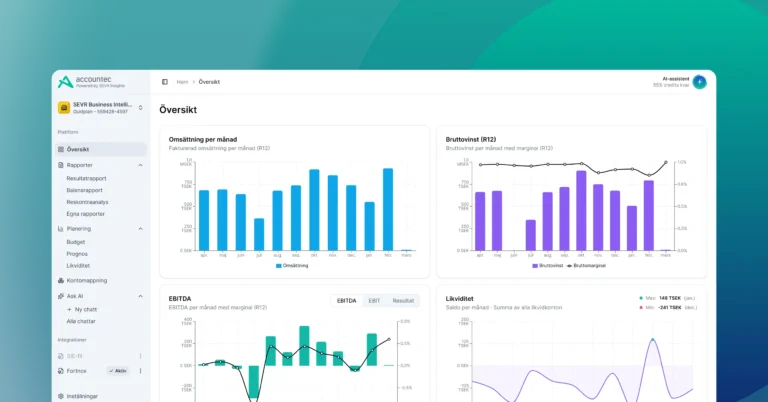 Client Case: SEVR InsightsLearn how Devies and SEVR Insights built an AI accounting platform in four months using an AI-first development process that reached 85,000 users.Read the case
Devies
Want a second opinion?
Devies, a Gothenburg-based product and engineering consultancy, works on questions like this with Nordic product and IT teams. Tell us where you are and we will suggest a sensible first step.
Frequently asked questions
What percentage of tests should be automated?
There is no correct percentage. Aim to automate the checks that run on every change and have a clear expected result: business rules, APIs, integrations and a few critical user journeys. Exploratory, usability and visual testing should stay manual. A better target than a percentage is that a passing pipeline means the change can be released, with feedback in under ten minutes.
Who should write automated tests, developers or testers?
Developers should be primarily responsible for writing and maintaining automated tests, according to DORA's research, because tests written by a separate group tend to break and developers then write code that is hard to test. Testers add the most value by pairing with developers on what to test and by doing exploratory and usability testing that automation cannot replace.
Why are our end-to-end tests so unreliable?
End-to-end tests depend on many moving parts at once: the interface, several services, test data, networks and timing. Any of them can cause a random failure. Reduce their number to a few critical journeys, move other checks down to unit and API tests, use stable test data and reusable page objects, and fix or quarantine any test that fails without a real defect.
Is test automation worth it for a small team?
Yes, if you start in the right place. Unit tests for business rules and a handful of API tests running on every change cost little and catch the most expensive bugs early. Avoid starting with a large end-to-end suite, which is costly to maintain. A small, reliable suite that runs in minutes gives a small team the confidence to release often.