
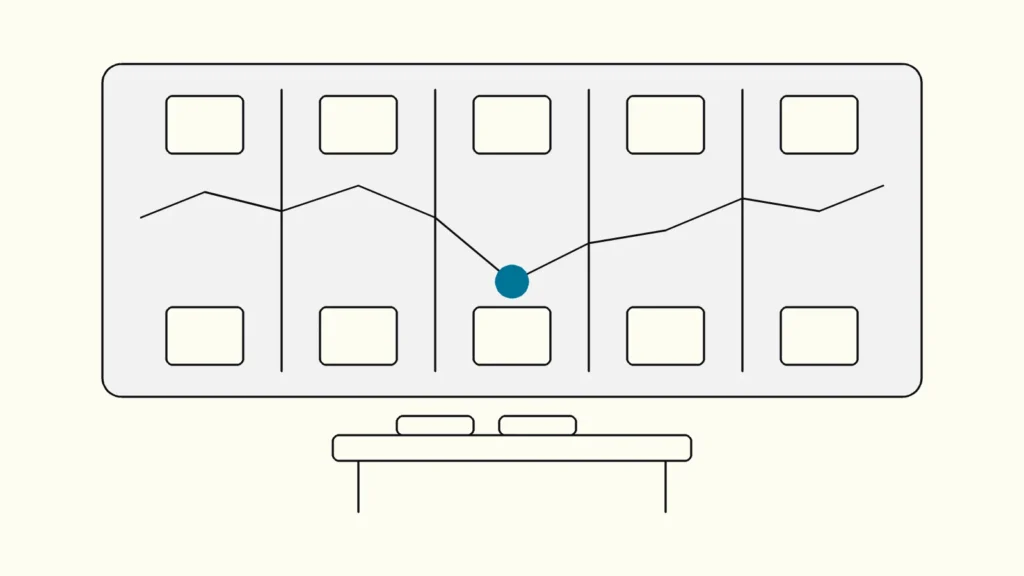
How to map a customer journey with the people who own it, and turn the result into backlog items the team will actually build.
In short
A customer journey map shows the steps a customer takes to reach a goal, with what they do, think and feel at each step. Map one customer and one scenario, base it on research, run a half-day workshop with everyone who owns a touchpoint, then turn the biggest pain points into owned, prioritised backlog items.
Journey maps often end up as a large poster on a wall: admired once, then forgotten. This guide is written by Devies, a Gothenburg-based product and engineering consultancy, for product owners, UX leads and service owners who want the map to change what gets built. It covers what a journey map is, how to prepare and run the workshop, and how to get from sticky notes to sprint work.
What is a customer journey map?
A customer journey map is a visualisation of the process a person goes through to accomplish a goal with your organisation, showing their actions, thoughts and emotions across each phase. The Swedish term is kundresa, and it is one of the core tools of service design.
Nielsen Norman Group's journey mapping guide names five components: an actor, a scenario with the actor's expectations, journey phases, the actor's actions, mindsets and emotions in each phase, and the opportunities that follow from them. One map covers one actor and one scenario, which keeps it sharp enough to act on.
Service design (tjänstedesign) is the practice of designing a whole service, front and back, around the people who use it and deliver it. Journey maps sit next to several related tools that are easily mixed up:
Tool
What it shows
Point of view
Use it for
Customer journey map
What it shows
One actor's steps, thoughts and emotions towards one goal
Point of view
The customer
Use it for
Understanding and finding problems
Experience map
What it shows
A general human experience, not tied to one company
Point of view
The person in general
Use it for
Early exploration of a domain
Service blueprint
What it shows
The people, systems and processes behind each customer step
Point of view
The organisation
Use it for
Finding the root cause inside the business
User story map
What it shows
Features arranged by user step and release
Point of view
The product team
Use it for
Planning what to build and in which order
The service blueprint extends the journey map downwards, with frontstage actions, backstage actions and supporting processes. The user story map is where the journey ends up when you plan delivery. A good workshop uses the journey map to agree on the problem and hands over to the backlog to solve it.
How do you prepare a journey mapping workshop?
Prepare by choosing one customer and one scenario, gathering existing evidence, and inviting the people who own the touchpoints along the journey. A workshop built on assumptions alone produces a map of what the organisation believes, not what customers experience.
Do these before the workshop:
- Choose the actor and scenario. For example: "A small business customer reports a delivery problem and wants a replacement." Avoid "our customer journey" in general.
- Collect evidence. Support tickets, call notes, analytics drop-offs, reviews and survey comments. Five short interviews with recent customers add more than any internal discussion.
- Draft the phases. Sketch four to seven high-level phases, such as notice, contact, wait, resolve and follow up, so the group does not spend the first hour arguing about structure.
- Invite the right people. Customer service, sales, product, design and development, plus someone who can approve priorities. Eight to ten participants is a workable group.
- Set the output. Agree in advance that the workshop ends with a ranked list of opportunities with owners, not only a map.
How do you run the workshop?
Run the workshop as a fixed sequence of three to four hours that moves from the customer's experience, to the organisation behind it, to agreed opportunities. Each step builds on the one before, so keep the order.
- Frame the scenario (15 minutes). Present the actor, the goal and the evidence you collected. Remind everyone that the map describes today, not the ideal.
- Map the actions (45 minutes). Along the phases, add what the customer does at each step, which channel they use and how long it takes. Use evidence, and mark guesses clearly.
- Add thoughts and emotions (30 minutes). For each step, note what the customer is thinking and draw an emotion line from frustrated to satisfied. Quotes from real customers work best here.
- Mark the pain points (20 minutes). Highlight where the emotion line drops, where customers wait, repeat themselves or switch channel.
- Look backstage (40 minutes). Under the worst pain points, add the internal steps, systems and handovers behind them. This is the service blueprint view, and it is where root causes usually appear.
- Generate opportunities (30 minutes). For each major pain point, write possible improvements: a process change, a message, a self-service feature or a system fix.
- Prioritise and assign (30 minutes). Score opportunities on customer impact and effort, pick the top five and give each a named owner before anyone leaves the room.
Keep the map digital or photograph it immediately, and share it with the scenario and evidence attached so others can check it.
How do you turn a customer journey map into backlog items?
Turn each prioritised opportunity into a backlog item that names the journey step, the customer problem, the evidence and the outcome you expect, then measure that outcome after release. Without that link, the map stays a poster and the backlog stays driven by internal requests.
A practical format for each item:
- Journey step: "Wait for replacement" in the delivery-problem journey.
- Problem: Customers call again to ask about status, and the ticket sample shows that status questions are the most common reason for follow-up calls.
- Expected outcome: Fewer status calls and higher satisfaction after resolution.
- Proposed change: Send automatic status updates by email and SMS.
- Measure: Follow-up calls per case, before and after.
Not every opportunity belongs in a software backlog. Some are process or training changes for customer service, and they need an owner too. Product changes go to refinement, where the team can slice them into stories along the journey, much like a user story map.
Before building larger changes, test them. A quick prototype in front of five customers shows whether the change helps, and our guide to usability testing on a budget explains a lightweight way to do it. Revisit the map when the changes are live, to see if the emotion line and the measures moved. A map updated a few times a year keeps the whole user experience (användarupplevelse) in view rather than one screen at a time.
Keep reading
From our work
 Client Case: Lea BankLea Bank rebuilt its digital platform with Strapi, React, GrowthBook, GA4, and BigQuery to improve SEO, A/B testing, and marketing autonomy.Read the case
Devies
Want a second opinion?
Devies, a Gothenburg-based product and engineering consultancy, works on questions like this with Nordic product and IT teams. Tell us where you are and we will suggest a sensible first step.
Frequently asked questions
What is the difference between a customer journey map and a service blueprint?
A customer journey map shows the experience from the customer's point of view: their steps, thoughts and emotions towards a goal. A service blueprint adds the organisation's side underneath: the frontstage and backstage actions, people, systems and processes that support each step. Use the journey map to find where customers struggle and the blueprint to find why the organisation causes it.
Who should attend a customer journey workshop?
Invite the people who own a touchpoint in the journey: customer service, sales, product, design and development, plus a decision-maker who can approve priorities. Eight to ten participants is a workable size. If possible, bring real customer input, such as interview quotes or support tickets, so the map reflects what customers experience rather than what the organisation assumes.
How often should a journey map be updated?
Update it when you have released changes that affect the journey, and review it at least a few times a year. A map is a snapshot of the current experience, so it ages as the service, channels and customer expectations change. Keep it in a shared digital tool, with the evidence attached, so the team can update it after new research instead of starting over.
Do we need user research before mapping the customer journey?
You need some evidence, but not a large study. Support tickets, analytics, reviews and five short customer interviews give a workshop enough to work with. A map based only on internal assumptions tends to repeat what the organisation already believes and misses the problems customers experience between departments, which are often the most important ones to fix.