
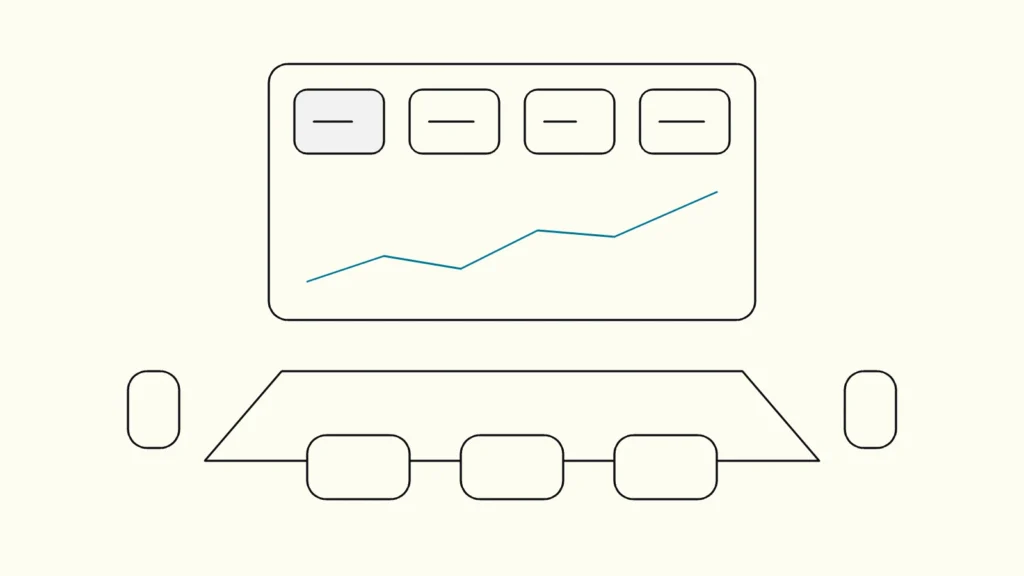
Why most management dashboards are opened twice and forgotten, and eight steps to build one that becomes part of how decisions are made.
In short
A KPI dashboard gets used when it answers the questions leaders already ask in their regular meetings. Start from those decisions, keep to a handful of KPIs on one screen, define each one in writing with an owner, feed them from one trusted source, and show target, trend and data freshness next to every number.
Most companies have more dashboards than anyone reads. The problem is rarely the tool. It is that the dashboard was designed around the data that was available instead of the decisions leaders need to make. This guide from Devies, a Gothenburg-based product and engineering consultancy, is for CFOs, COOs and data leads who want a management dashboard that becomes part of the weekly rhythm rather than another link in a bookmark folder.
Why do leaders stop using KPI dashboards?
Leaders stop using a dashboard when it does not help them make a decision faster than asking someone. Every visit that ends in confusion or a follow-up email makes the next visit less likely.
The usual reasons are predictable:
- Too many numbers. Forty tiles with equal weight force the reader to work out what matters.
- No context. A figure without a target, a previous period or a trend cannot be judged as good or bad.
- Numbers nobody trusts. If the dashboard disagrees with finance's spreadsheet once, leaders go back to the spreadsheet.
- Stale data. A dashboard that silently shows last week's figures teaches people to double-check everything.
- No link to a meeting. If no recurring forum uses the dashboard, nobody has a reason to open it.
Trust is the hardest to win back. When two reports show different revenue, the cause is usually different definitions or sources, not the visual. Our article on why Power BI shows different numbers covers that problem in depth.
What makes a management dashboard worth opening?
A management dashboard is worth opening when it shows the few measures that track the organisation's goals, with enough context to act on them, in a form that can be read in under a minute. A key performance indicator (KPI) is a measure tied to a goal, with a target and an owner. A KPI dashboard is a single screen that shows the current state of those measures against their targets.
It helps to separate the KPI dashboard from things it is often confused with:
Tool
Purpose
Typical reader
Level of detail
KPI dashboard
Purpose
Monitor progress against goals at a glance
Typical reader
Management team
Level of detail
A handful of measures, with target and trend
Operational dashboard
Purpose
Steer daily work in one function
Typical reader
Team leads
Level of detail
Many measures, near real time
Report
Purpose
Explain what happened in a period
Typical reader
Analysts, controllers
Level of detail
Detailed tables and breakdowns
Self-service data analytics
Purpose
Explore a question that is not yet defined
Typical reader
Analysts
Level of detail
Open-ended, ad hoc
Most failed dashboards are reports or exploration tools presented as management dashboards. Keep the detail one click away, not on the first screen.
Eight steps to build a KPI dashboard leaders use
The eight steps start with the decisions and end with retiring what nobody uses; the visual design comes in the middle, not at the start. Each step is small, but skipping one usually explains why a dashboard fails.
- List the decisions and the meeting. Ask leaders which decisions they make each week or month and in which meeting. The dashboard serves that meeting. If there is no meeting, agree on one first.
- Choose a handful of KPIs per audience. For each decision, pick the measure that tells you whether to act. If a number would not change what anyone does, it does not belong on the first screen.
- Define every KPI in writing. Record name, purpose, formula, source, filters, refresh frequency, target and owner. "Revenue" needs to say whether it means booked, invoiced or recognised, and whether it includes VAT.
- Feed it from one trusted source. Build the measures once in a shared data model rather than inside each report. In Power BI and Fabric, Microsoft's endorsement feature lets an authorised reviewer mark a semantic model as Certified, so readers can see which source is the reliable one.
- Design for a one-minute read. Microsoft's dashboard design tips advise keeping everything on one screen without scroll bars, placing the most important information at the top left, using cards for key numbers, and avoiding 3D charts. Round to readable units: "3.4 million" rather than "3,400,000".
- Show context next to every number. Pair each KPI with its target, the previous period and a short trend. Use consistent time frames: do not place last month beside a year-to-date figure without saying so.
- Show data freshness and do not rely on colour alone. Put a "data updated" timestamp on the page. Red and green status must also be marked with an icon, text or position, because WCAG's use of colour criterion requires that colour is not the only way information is conveyed, and some leaders cannot tell red from green.
- Review usage and retire what nobody reads. Check usage after a month and after a quarter. Ask leaders which tile they looked at last and why. Remove or move to a detail page anything that has not influenced a decision.
Where should the numbers come from?
The numbers should come from one governed data layer where each KPI is calculated once, not from separate exports assembled for each dashboard. That layer is what makes it possible for the CFO and the sales director to see the same figure.
In practice, this means pipelines that load source data automatically, a shared model with agreed definitions, and tests and freshness checks that catch errors before leaders see them. A dashboard built on manual spreadsheet exports may look identical on launch day, but it depends on someone repeating the work every week and will drift as definitions change. If you work with a business intelligence partner (a BI konsult, in Swedish), ask how they will keep definitions in one place rather than how many visuals they can build.
How do you keep a dashboard relevant after launch?
A dashboard stays relevant when someone owns it, reviews it on a schedule and changes it when goals change. Goals move every year; a dashboard that does not move with them becomes a record of last year's priorities.
Set a quarterly review with the owner and two or three regular readers. Check which KPIs drove action, which were ignored and which questions came up that the dashboard could not answer. Change targets when the business plan changes, and keep a short change log so that a jump in a trend line can be explained. Treat the dashboard as a product with users, not a project with an end date.
Keep reading
From our work
 Client Case: HedinFaster loads and clean code: bringing modern software habits to Hedin’s BI platform.Read the case
Devies
Want a second opinion?
Devies, a Gothenburg-based product and engineering consultancy, works on questions like this with Nordic product and IT teams. Tell us where you are and we will suggest a sensible first step.
Frequently asked questions
How many KPIs should a management dashboard have?
There is no fixed number, but the KPIs for one audience should fit on one screen without scrolling and be readable at a glance. In practice that usually means a handful of headline measures, each with target and trend, and detail pages behind them. If you cannot say which decision a KPI supports, remove it from the first screen.
What is the difference between a KPI and a metric?
A metric is any measured value, such as website visits or orders shipped. A KPI is a metric chosen because it shows progress towards a specific goal, and it has a target and an owner. All KPIs are metrics, but most metrics are not KPIs. Keeping the distinction clear stops a management dashboard from filling up with interesting but non-essential numbers.
Which tool is best for KPI dashboards?
Power BI, Tableau, Looker and similar tools can all produce good KPI dashboards. The choice matters less than the data model behind them, the definitions and who owns them. Pick the tool your organisation already licenses and supports, unless it cannot connect to your sources or meet your security needs, and invest the effort in the shared data layer.
How often should KPI dashboard data refresh?
Match the refresh rate to the decision. A monthly management meeting needs data that is complete and reconciled at month end, not real-time figures. Operational dashboards for stock, orders or service queues may need hourly or near real-time updates. Whatever the frequency, show the time of the last update on the page so readers know what they are looking at.
Sources
- Microsoft Learn: Tips for designing a great Power BI dashboard
- Microsoft Learn: Endorsement overview, Microsoft Fabric
- W3C WAI: Understanding Success Criterion 1.4.1 Use of Color
- Devies: Data Foundation Platform
- Devies: Know your cash