
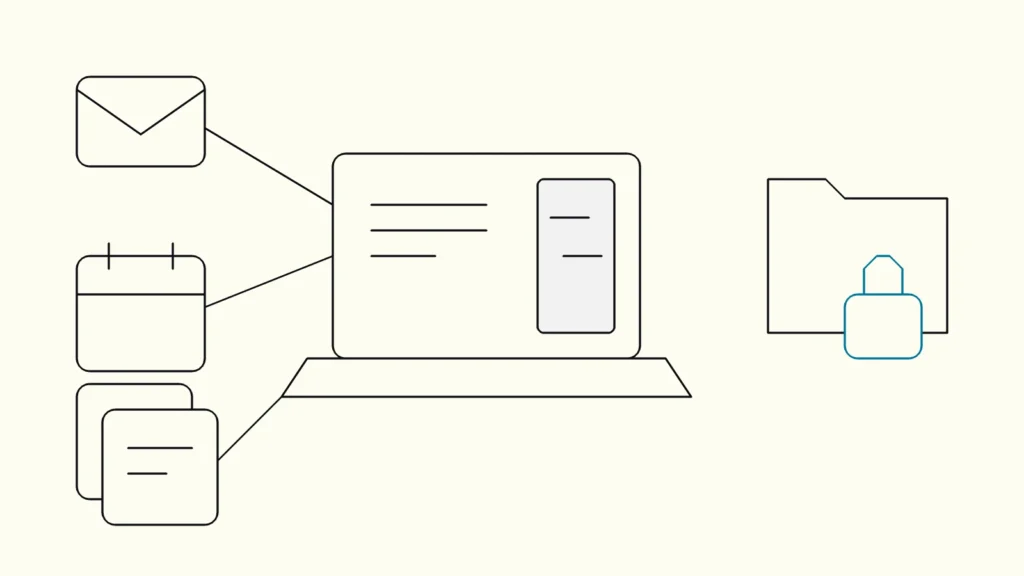
Which company data Copilot reads, where its limits are, how privacy works, and what to fix before you roll it out.
In short
Microsoft Copilot is an AI assistant built into Microsoft 365 that combines large language models with the emails, files, chats and meetings a user already has permission to see. It drafts, summarises and finds information well. It does not fix oversharing, reconcile conflicting numbers or see systems outside Microsoft 365 unless you connect them.
Microsoft Copilot is the AI assistant in Word, Excel, PowerPoint, Outlook and Teams. Whether it is useful or risky in your company depends less on the model than on the state of your permissions and content. This explainer from Devies, a Gothenburg-based product and engineering consultancy, is for IT leaders, data owners and managers who need a clear picture of what Copilot does with company data before deciding how far to roll it out.
What is Microsoft Copilot?
Microsoft Copilot is Microsoft's AI assistant for work, which coordinates large language models, content in Microsoft Graph and the Microsoft 365 apps. As of October 2026, Microsoft's privacy documentation notes that the product previously called Microsoft 365 Copilot is now named Microsoft Copilot, and Microsoft 365 Copilot Chat is now Microsoft Copilot Chat, with some licences still using the old names during the transition.
A few definitions make the rest easier. Generative AI is software that produces new text, images or code from a prompt. A large language model is a generative AI model trained on large amounts of text to predict and produce language. Grounding is the step where the assistant fetches relevant content, for example your documents, and gives it to the model with your question. Microsoft Graph is the layer that connects the data in Microsoft 365: mail, files, calendars, chats and the people relationships between them.
The name "Copilot" covers several products, and they are often confused:
Product
What it is
Uses your organisational data automatically?
Copilot Chat (Basic)
What it is
Secure AI chat included with eligible Microsoft 365 licences
Uses your organisational data automatically?
No. It uses web data unless you upload or open content, or use a pay-as-you-go agent
Microsoft 365 Copilot (Premium) licence
What it is
The paid add-on with Copilot inside Word, Excel, PowerPoint, Outlook and Teams
Uses your organisational data automatically?
Yes, through Microsoft Graph, within each user's permissions
Copilot Studio
What it is
A low-code tool to build agents that connect to other data sources
Uses your organisational data automatically?
Only the sources you connect
GitHub Copilot
What it is
An AI coding assistant for developers
Uses your organisational data automatically?
Code and context in the developer's tools
The licence comparison above follows Microsoft's Copilot overview, which also lists Security Copilot as a separately licensed product.
What can Copilot do with your company data?
With a Premium licence, Copilot can draft, summarise, search and analyse using any Microsoft 365 content the signed-in user can already open. It works on behalf of that user, not with administrator rights.
In practice, that covers tasks such as:
- summarising a long email thread or a Teams meeting, including action items;
- drafting a document or presentation from existing files;
- finding the latest version of a proposal across SharePoint, OneDrive and mail;
- analysing a table in Excel and suggesting formulas or charts;
- answering a question that combines a meeting, a chat and a document from last week.
Microsoft states that Copilot "only surfaces organizational data to which individual users have at least view permissions", and that the semantic index respects the same identity-based access boundary. Data from other systems, such as a CRM or a ticketing tool, can be brought in through connectors or agents, and is then returned only to users who are allowed to see it.
What can Copilot not do with your data?
Copilot cannot make your content more correct, better organised or more appropriately shared than it already is. It reflects the state of your Microsoft 365 environment back to you, faster.
The main limits for a business are:
- It does not fix oversharing. If a salary spreadsheet sits in a site shared with "Everyone except external users", Copilot can find it for anyone who asks the right question. The permission was already wrong; Copilot only makes it easier to discover.
- It does not reconcile your numbers. If sales and finance define revenue differently, Copilot will summarise whichever file it finds. It is not a data platform and does not create a single source of truth.
- It does not see what it is not connected to. ERP, production systems and data warehouses outside Microsoft 365 are invisible unless you add connectors or build agents.
- It is not guaranteed to be right. Microsoft's own documentation says generative AI responses are not guaranteed to be 100 percent factual and should be reviewed before they are shared.
When you need reliable answers from structured business data or from sources outside Microsoft 365, a purpose-built solution is often a better fit. Our article on retrieval-augmented generation with company data explains that route.
How does Microsoft Copilot handle privacy and data location?
Copilot processes prompts and responses under the same contractual commitments as the rest of your Microsoft 365 content, and Microsoft says that data is not used to train the foundation models. As of October 2026, the privacy documentation states that "prompts, responses, and data accessed through Microsoft Graph aren't used to train foundation LLMs".
Three further points matter for Swedish and Nordic companies:
- EU Data Boundary. For EU users, Copilot traffic stays within the EU Data Boundary. Microsoft notes that models provided by Anthropic as a subprocessor are currently excluded from it, and that administrators decide whether to enable these third-party models.
- Stored interactions. Prompts and responses are stored as Copilot activity history. Administrators can search them and set retention policies with Microsoft Purview, and users can delete their own history.
- Sensitivity labels. Where content is encrypted with Purview sensitivity labels, Copilot honours the usage rights granted to the user.
These are vendor statements, and they cover Microsoft's side. Your obligations under GDPR, for example deciding on retention and informing employees, remain yours.
How do you prepare your organisation for Copilot?
Prepare by fixing permissions and content before you widen access, then pilot with a group whose work you can measure. The order matters, because each step lowers the risk of the next.
- Review sharing settings. Microsoft's guidance on getting ready with SharePoint Advanced Management notes that SharePoint sharing defaults to the most permissive option. Tighten organisation-wide links and set expiry where you can.
- Find overshared content. Use data access governance reports to locate sites shared with the whole organisation or with many "Anyone" links.
- Restrict high-risk sites. Restricted Content Discovery keeps selected sites out of Copilot and organisation-wide search without changing their permissions, and Restricted Access Control limits a site to a defined group.
- Label sensitive content. Apply sensitivity labels to contracts, HR and financial material so that encryption and usage rights follow the files.
- Clean up stale content. Archive inactive and ownerless sites so that Copilot draws on current material.
- Pilot with a defined group. Pick teams with clear tasks, agree what success looks like before you start, and collect examples of good and bad answers.
- Train users to check output. Teach people to read citations, verify figures and treat Copilot drafts as drafts.
Keep reading
From our work
 Client Case: HedinFaster loads and clean code: bringing modern software habits to Hedin’s BI platform.Read the case
Devies
Want a second opinion?
Devies, a Gothenburg-based product and engineering consultancy, works on questions like this with Nordic product and IT teams. Tell us where you are and we will suggest a sensible first step.
Frequently asked questions
Does Microsoft Copilot train on our company data?
According to Microsoft's documentation, as of October 2026, prompts, responses and data accessed through Microsoft Graph are not used to train the foundation language models behind Copilot. Interactions are stored as activity history under the same commitments as your other Microsoft 365 content, and administrators can manage retention in Microsoft Purview. Optional user feedback may be used to improve the service, but not to train the foundation models.
Can Copilot see documents that an employee should not have access to?
Copilot only shows content the signed-in user already has at least view permission for. The risk is that many users have more access than intended, for example through sites shared with everyone or old "Anyone" links. Copilot makes such content easier to find. Reviewing sharing settings and overshared sites before rollout is the most effective protection.
What is the difference between Copilot Chat and the paid Microsoft 365 Copilot licence?
Copilot Chat (Basic) is included with eligible Microsoft 365 licences and answers mainly from web data; it uses company content only when you upload it, work with an open file in Outlook or Teams, or use a pay-as-you-go agent. The paid Premium licence grounds answers automatically in Microsoft Graph and gives priority access to Copilot inside Word, Excel, PowerPoint and Outlook.
Is Microsoft Copilot GDPR compliant?
Microsoft states that Copilot complies with its existing privacy commitments to commercial customers, including GDPR and the EU Data Boundary. That covers Microsoft's role as processor. Your organisation is still responsible for its own obligations: a lawful basis for processing, retention of prompts and responses, informing employees, and a data protection impact assessment where the use involves high risk to people's privacy.
Sources
- Microsoft Learn: Data, Privacy, and Security for Microsoft Copilot
- Microsoft Learn: What is Microsoft Copilot?
- Microsoft Learn: Get ready for Microsoft Copilot with SharePoint Advanced Management
- Devies: Data and AI Use Case Discovery Workshop
- Devies: AI à la carte