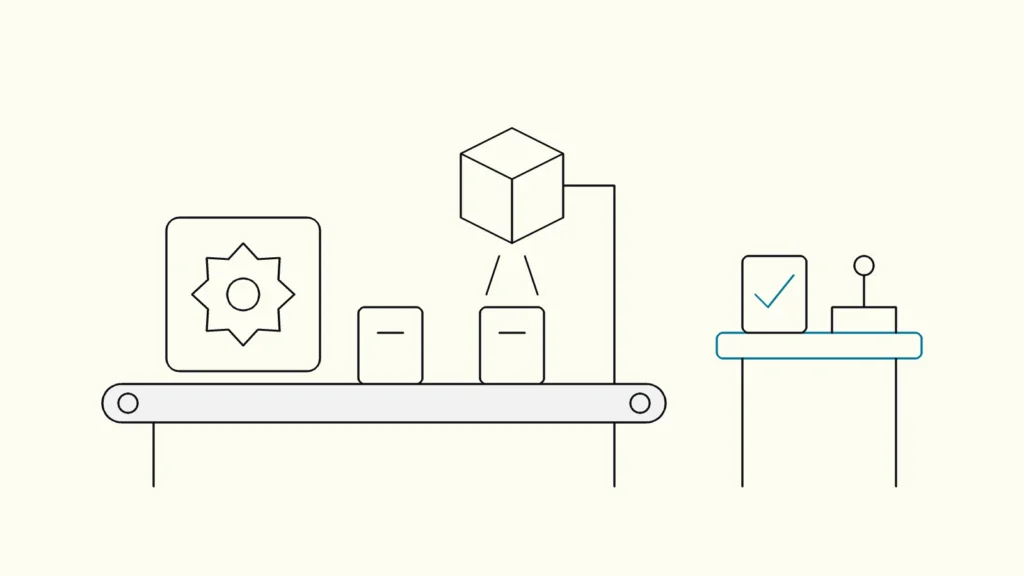
How to choose the first process, decide which steps need rules, AI or a person, design the human check and measure whether the automation pays off.
In short
AI automation means using AI models to handle steps in a business process that rules alone cannot, such as reading documents, classifying requests or drafting replies, while rules and people handle the rest. Start with one frequent, well-understood process, map its steps, automate the parts AI does reliably, keep a human check where mistakes are costly and measure time and error rates.
Many companies have tried AI assistants for individual tasks. Fewer have changed a whole process, such as invoice handling or customer requests, so that work flows through with less manual effort. The difference is design: which steps the AI does, what it is allowed to touch and who checks the result. This guide from Devies, a Gothenburg-based product and engineering consultancy, is for operations, finance and IT leaders who want to start with AI automation (ai automatisering) of business processes without creating new risks.
What is AI automation of a business process?
AI automation of a business process is the use of AI models, usually language or vision models, to perform steps that need interpretation, inside a workflow that also uses ordinary rules, integrations and human decisions. The AI is one component, not the whole process.
It differs from traditional automation in what it can handle:
Approach
Handles well
Struggles with
Example
Rules and integrations
Handles well
Structured data, fixed logic
Struggles with
Free text, variation, judgement
Example
Posting an order from the web shop into the ERP
Robotic process automation (RPA)
Handles well
Repetitive clicks in stable user interfaces
Struggles with
Changing screens, unstructured input
Example
Copying data between two legacy screens
AI automation
Handles well
Reading, classifying, summarising, drafting
Struggles with
Exact calculations, guaranteed correctness
Example
Extracting fields from supplier invoices in many layouts
AI agents
Handles well
Multi-step tasks with tools and some autonomy
Struggles with
Predictability, cost control
Example
Researching and preparing a customer case
Most successful processes combine all three: rules for what is fixed, AI for what needs interpretation and people for what needs judgement or accountability. If you are considering more autonomous agents, our article on AI agents from pilot to production covers the guardrails they need.
Which process should you automate first?
Start with a process that runs often, follows a recognisable pattern, has a clear owner and where a mistake can be caught before it causes harm. Good first candidates are internal and high-volume rather than customer-facing and rare.
Typical first candidates in mid-sized companies:
- Incoming supplier invoices: extract fields, match to orders, route exceptions.
- Customer service requests: classify, route and draft a first answer for an agent to approve.
- Order and quote handling: read emailed orders and create draft orders in the ERP.
- Reporting: draft monthly commentary on financial or operational figures for review.
- Internal questions: answer HR or IT policy questions from approved documents.
Avoid starting with decisions that significantly affect people, such as credit, hiring or benefits. Article 22 of the GDPR gives individuals the right not to be subject to decisions based solely on automated processing that have legal or similarly significant effects, apart from specific exceptions. If you have several ideas, our guide on how to prioritise AI use cases helps you compare them.
Seven steps from manual process to AI automation
Treat the work as process redesign with AI as one tool. These steps take a single process from mapping to measured operation in a few months.
- Map the current process. Write each step, who does it, which systems are used and how long it takes. Count volumes and note where errors and delays happen.
- Classify each step. Mark it as rule, AI or human. A step is a candidate for AI when it needs reading or interpretation and a wrong result can be detected.
- Define the inputs and limits for the AI. Decide exactly which data the model may see and which actions it may trigger. Give it narrow, read-only access by default.
- Design the human check. Decide who reviews what, and when: every output at first, then a sample or only low-confidence cases once quality is proven. Make the review fast, with the source shown next to the AI's output.
- Build an evaluation set. Collect real past cases with correct outcomes, including awkward ones. Test the automation against them before go-live and after every change.
- Run in parallel, then switch. Let the AI process real cases alongside the manual process for a few weeks, compare results, then hand over volume step by step.
- Measure and adjust. Track handling time, error rate, share of cases needing manual correction and cost per case. Review monthly with the process owner.
How do you keep a human in control?
Keep a human in control by making the AI prepare and people decide on anything that matters, by limiting what data and actions the AI can reach, and by logging what it did and why.
Devies applied that principle when building SEVR Insights, an AI platform for accounting consultants. According to the case, the platform gets reports to roughly 90 percent complete and the consultant reviews, corrects and delivers them. Devies also built a controlled query layer with fixed, pre-aggregated functions scoped to each client, so the model cannot freely query data it was not asked for. The case reports an estimated 90 percent time saving for generating standard financial reports.
Two rules follow for any process:
- Constrain access, not just instructions. Telling a model not to read certain data is weaker than technically preventing it.
- Make review the valuable step. If people rubber-stamp outputs, the human check is theatre. Show sources, highlight uncertainty and sample-check approved cases.
What does the EU AI Act require for process automation?
For most internal process automation, the EU AI Act asks for AI literacy among the staff who use and run the systems, plus transparency in some cases; strict obligations apply only to high-risk uses such as recruitment or credit decisions.
As of October 2026, the European Commission states that the AI literacy obligation in Article 4 has applied since 2 February 2025 and that, after the Digital Omnibus, providers and deployers must take measures to support AI literacy among staff working with AI systems (European Commission AI literacy Q&A). National authorities supervise it from 2 August 2026. In practice, train the people who review AI outputs on what the system can and cannot do, and document that training. If a process does touch a high-risk area such as recruitment or credit, the Commission states that those obligations apply from 2 December 2027 (European Commission), so plan for documentation, logging and human oversight from the start.
Keep reading
From our work
 Client Case: Stena LineStena Line modernised its Azure data platform - improving Power BI reliability, reducing pipeline runtimes and scaling with medallion architecture.Read the case
Devies
Want a second opinion?
Devies, a Gothenburg-based product and engineering consultancy, works on questions like this with Nordic product and IT teams. Tell us where you are and we will suggest a sensible first step.
Frequently asked questions
What is the difference between AI automation and RPA?
RPA (robotic process automation) mimics a person clicking through stable screens and follows fixed rules. AI automation uses models that can read, classify and draft from unstructured input such as emails, PDFs and free text. RPA breaks when screens or formats change; AI handles variation but can be wrong. Many processes use both, with AI interpreting input and rules or RPA executing fixed steps.
Which business processes are best suited to AI automation?
Frequent, pattern-based processes with a clear owner and a way to check results suit AI automation best. Examples are supplier invoice handling, classifying and drafting answers to customer requests, reading emailed orders, drafting report commentary and answering internal policy questions. Avoid starting with decisions that significantly affect individuals, such as credit or hiring, which carry legal requirements.
How do we measure whether AI automation pays off?
Measure the process before and after: handling time per case, error rate, share of cases needing manual correction, throughput and total cost per case including model and platform costs. Run the AI in parallel with the manual process for a few weeks to get a fair comparison. Review the figures monthly with the process owner and adjust thresholds for human review.
Do we need to tell customers that AI is used in our processes?
It depends on the use. The EU AI Act requires that people are informed when they interact directly with an AI system, such as a chatbot, unless it is obvious, and certain AI-generated content must be marked. Internal processing, such as extracting invoice fields, usually carries no such duty, but GDPR transparency rules still apply when personal data is processed.