
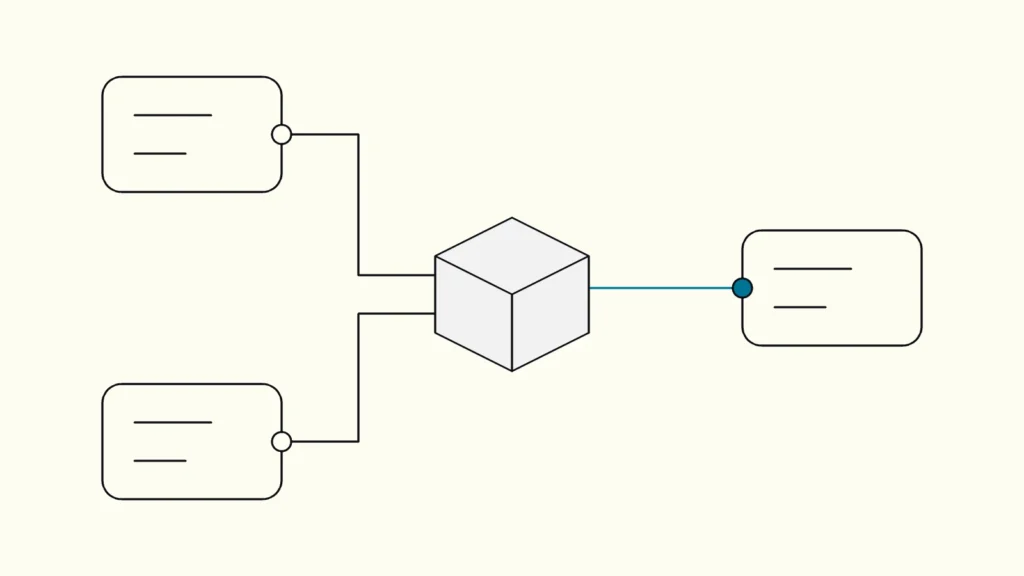
ETL, ELT, API or iPaaS? How to choose an integration pattern and stop relying on manual Excel exports.
In short
System integration connects ERP, CRM and finance so data moves automatically instead of through manual exports. Use ETL or ELT to feed reporting from a shared data platform, API integration or iPaaS when one system must act on another's events, and pick per data flow. Ownership of each flow matters as much as the tool.
Most mid-sized companies already have the systems they need: an ERP for orders and production, a CRM for customers and pipeline, and a finance system for invoices and costs. The problem is the space between them. Someone exports a file every Monday, pastes it into a spreadsheet, fixes the customer names by hand and emails the result. That person is the integration.
This guide comes from Devies, a Gothenburg-based product and engineering consultancy that builds data platforms for Nordic companies. It compares the main integration patterns, explains ETL and ELT, shows where iPaaS fits and ends with the part most projects underestimate: who owns each flow once it runs.
Four system integration patterns and when each fits
There are four common system integration patterns, and the right one depends on whether the data is needed for reporting or for an operational action in another system.
File transfer is the scheduled export and import of files, such as CSV or SIE files, between systems. Point-to-point API integration is a direct connection where one system calls another's API. An iPaaS (integration platform as a service) is a cloud service that hosts many integrations in one place, with ready-made connectors, mapping and monitoring. A data pipeline is a scheduled flow that copies data from several sources into a central data platform for analysis.
Pattern
Best for
Latency
Main risk
File transfer
Best for
Simple, infrequent exchanges
Latency
Hours to days
Main risk
Silent failures, manual steps creep back
Point-to-point API integration
Best for
One system acting on another's events, such as a won deal creating an order
Latency
Seconds
Main risk
Many fragile one-off connections
iPaaS
Best for
Many operational flows across SaaS systems
Latency
Seconds to minutes
Main risk
Licence cost, logic hidden in the platform
Data pipeline (ETL or ELT)
Best for
Reporting and analysis across all sources
Latency
Minutes to daily
Main risk
Treating it as an operational integration
Many companies need two of these at once: API integration or iPaaS for the operational flow from CRM to ERP, and a data pipeline for reporting. Mixing the two jobs in one tool is a common source of brittle setups.
ETL vs ELT: where the transformation happens
ETL and ELT differ only in where the data is transformed: before it is loaded into the target store, or inside the target store after loading.
ETL (extract, transform, load) is a process that extracts data from sources, transforms it in a separate engine according to business rules, and then loads the result into a data store. ELT (extract, load, transform) loads the raw data first and uses the target data warehouse or lakehouse to transform it. Microsoft's architecture guide on ETL and ELT recommends ETL when heavy transformations must be kept away from a constrained target, and ELT when the target scales elastically and you want to keep raw data for later analysis.
For ERP, CRM and finance reporting, ELT into a layered platform is often the practical default. Keeping the raw data means you can rebuild a measure when a definition changes, without asking the source system for history it may no longer expose.
The common tooling choice in Microsoft-based environments is Azure Data Factory, a managed cloud service for building and scheduling ETL and ELT pipelines. As of October 2026, Microsoft's Azure Data Factory introduction describes Data Factory in Microsoft Fabric as its next generation and recommends that teams new to data integration start there. Existing Azure Data Factory workloads keep running, so this matters mainly when you choose tooling for a new platform.
Loading changed records rather than everything is where pipelines succeed or fail. Microsoft's incremental copy guidance describes watermarks and change tracking. Test updates and deletions as well as new rows: an invoice can be credited weeks after it was created.
iPaaS and API integration for operational flows
iPaaS and API integration are the right choice when one system must react to an event in another, such as a won deal in the CRM creating a customer and an order in the ERP.
A single API integration is quick to build and easy to understand. The trouble starts at the fifth or tenth connection, when each one has its own error handling, credentials and undocumented mapping. An iPaaS gathers these flows in one place with shared monitoring, retries and connectors. It is worth the licence when you have many operational flows across SaaS systems, and rarely worth it for two.
Two cautions apply to both. First, a connector's existence does not prove it exposes the fields, history or change signals you need, so test a real extraction early. Second, operational integrations are poor reporting tools. Building reports by chaining API calls at query time produces slow dashboards and numbers that change depending on when someone clicked.
Automating reporting without manual Excel exports
Automating reporting means replacing the recurring export-and-paste routine with a monitored pipeline into a shared data platform, validated against the spreadsheet it replaces.
A practical sequence for the first report:
- Pick one recurring report with a known owner, such as pipeline versus invoiced revenue.
- Document how it is made today, including manual corrections. A hand edit often hides an undocumented business rule.
- Confirm source access with each system owner: API, reporting database, approved export or connector.
- Map customers and products between ERP, CRM and finance with explicit keys, not names, and keep unmatched records in a visible exception list.
- Load the data with ETL or ELT into layered storage, and build the shared measures once in a reporting model.
- Run the old and new reports side by side for the same period and explain every difference before switching off the spreadsheet.
The mapping step is where mismatched customer records turn into conflicting KPIs. Our article on why Power BI shows finance and sales different numbers covers that problem in detail.
Ownership: who keeps each integration running
Every integration needs a named business owner for the data's meaning and a named technical owner for the flow, or it will quietly degrade within a year.
Integrations break for ordinary reasons: an expired credential, a renamed field after an ERP upgrade, a new company code in finance. Agree in advance:
- Who is alerted when a load fails, and within what time.
- Who approves changes to definitions and mappings.
- How report users see data freshness, so a failed load shows a warning rather than yesterday's figures without comment.
- How the setup is documented, so recovery does not depend on the person who built it.
Keep reading
From our work
 Client Case: Stena LineStena Line modernised its Azure data platform - improving Power BI reliability, reducing pipeline runtimes and scaling with medallion architecture.Read the case
Devies
Want a second opinion?
Devies, a Gothenburg-based product and engineering consultancy, works on questions like this with Nordic product and IT teams. Tell us where you are and we will suggest a sensible first step.
Frequently asked questions
What is the difference between ETL and ELT?
ETL transforms data in a separate engine before loading it into the target store. ELT loads raw data first and transforms it inside the target data warehouse or lakehouse. ELT keeps the raw data, which makes it easier to rebuild measures when definitions change. ETL suits cases where heavy transformations must stay off a constrained target system, or where curated data must be audited before loading.
Do we need an iPaaS to connect our ERP and CRM?
Not always. If you have one or two operational flows, a well-documented API integration is often enough. An iPaaS earns its licence when you run many flows between SaaS systems and need shared monitoring, retries and connectors. For reporting, neither is the right tool: use a data pipeline into a shared data platform instead.
Is Azure Data Factory still the right choice in 2026?
As of October 2026, Microsoft describes Data Factory in Microsoft Fabric as the next generation of Azure Data Factory and recommends new data integration projects start there. Existing Azure Data Factory pipelines continue to run. The choice depends on your current Azure setup, licensing and whether you plan to use Fabric for reporting and analytics.
Can we automate reporting without replacing our ERP or finance system?
Usually yes, but it depends on what each system exposes. Check API access, reporting databases, export options, available history and licence terms early with each system owner. Limited exports or missing change history can change the scope, so test a small extraction against one real report before designing the full solution.
Sources
- Microsoft Learn, Extract, transform, load (ETL), Azure Architecture Center
- Microsoft Learn, Introduction to Azure Data Factory (updated 17 June 2026)
- Microsoft Learn, Incrementally copy data from a source data store to a destination data store
- Devies, Data Foundation Platform
- Devies, Data Hub
- Devies, Client case Stena Line