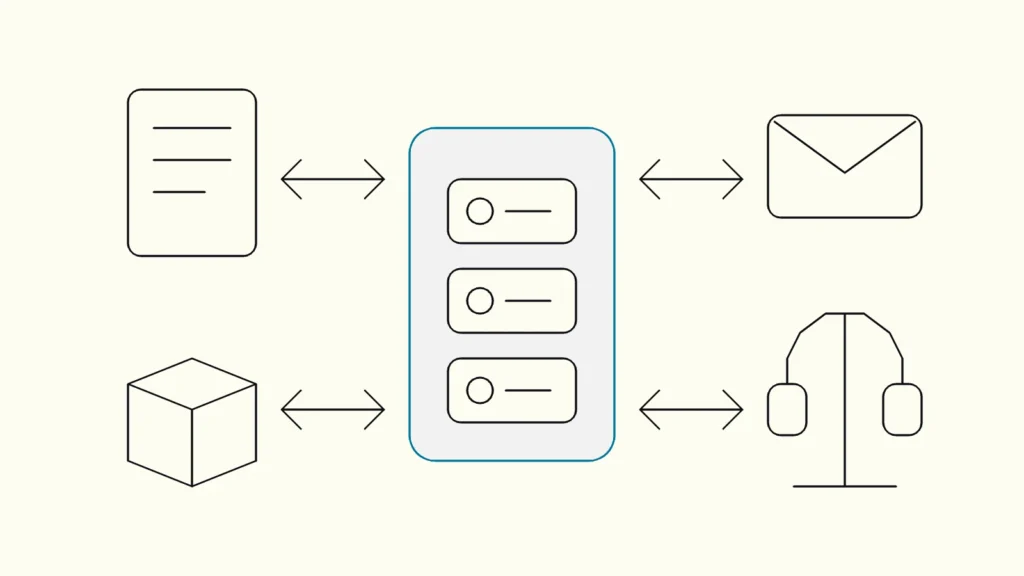
How to decide which customer and deal data should flow between your CRM, ERP, finance and marketing tools, who owns each field, and how to keep the integration running.
In short
CRM integration is the automated exchange of customer, deal, order and activity data between the CRM and other systems such as ERP, finance, marketing and support. Done well, sales sees orders and invoices, finance sees signed deals and nobody re-types data. Start by deciding which system owns each field, then choose the sync method, matching rules and error handling.
A CRM that does not talk to the rest of the business becomes a contact list with a forecast attached. Sales cannot see whether a customer has paid, finance learns about new deals by email, and marketing sends offers to customers who cancelled last month. This guide from Devies, a Gothenburg-based product and engineering consultancy, is for sales operations, finance and IT leads planning a CRM integration with ERP, finance, marketing automation or support systems.
What does CRM integration involve?
CRM integration means connecting the CRM to other systems so that shared business data, such as customers, contacts, deals, quotes, orders and invoices, is created once and kept consistent everywhere it is used. It is a set of data flows with owners and rules, not a single connector.
The most common flows in a mid-sized company:
Flow
From
To
Why it matters
Won deal becomes an order
From
CRM
To
ERP
Why it matters
No re-typing, faster delivery
Customer master data
From
ERP or CRM
To
The other
Why it matters
One customer number, one address
Invoices and payment status
From
ERP or finance
To
CRM
Why it matters
Sales sees overdue accounts before calling
Leads and campaign responses
From
Marketing tool or website
To
CRM
Why it matters
Sales follows up on real interest
Support cases
From
Support system
To
CRM
Why it matters
Account managers see open issues
Products and prices
From
ERP
To
CRM
Why it matters
Quotes use current prices
Not every flow is needed on day one. The order flow and customer master data usually deliver the most value first. Our broader guide to connecting ERP, CRM and finance covers the integration patterns behind these flows.
Eight steps to a CRM integration that lasts
Plan the integration as a business design exercise first and a technical project second. These steps take you from scattered data to flows that survive changes in either system.
- List the business events. Write what should happen, in business language: "when a deal is won, an order is created in the ERP", "when an invoice is 30 days overdue, the account owner sees a flag". Each event becomes a flow.
- Decide the owning system per field. For each shared field, name one system of record. The ERP typically owns legal name, organisation number, billing address and credit status; the CRM owns contacts, deal stages and sales notes. Two-way sync of the same field without a clear owner is the most common source of overwritten data.
- Agree identifiers and matching rules. Decide which key links records: an ERP customer number stored in the CRM, the organisation number, or both. Write rules for duplicates and for customers that exist in only one system. This is where master data management principles start to matter.
- Map fields and values. Status values, product codes, currencies, VAT handling and country codes rarely match. Document every mapping and who approves changes to it.
- Choose event-driven or scheduled sync. Events and webhooks give near real-time updates for orders and new leads; a scheduled batch is often enough for invoice status or product lists. Pick per flow, not per project.
- Respect API limits and plan for volume. CRM platforms limit how many calls an integration may make. HubSpot, for example, documents per-app burst limits and daily limits per account by subscription tier. Bulk migrations and nightly jobs must batch requests and back off when limits are reached.
- Design for errors and duplicates. Integrations fail: a system is down, a field is missing, a message arrives twice. Microsoft's documentation for Azure Logic Apps notes that it delivers messages "at least once" and that workflows should be idempotent when duplicates cannot be handled. Log every failed record and send it to a queue someone actually checks.
- Assign operational ownership. Name who monitors the flows, who fixes mapping errors and who approves changes when either system is upgraded. Without this, the integration works until the first CRM release changes a field.
Which integration method should you use?
Use the CRM's native connector when it covers your flows and field rules, an integration platform when you have several systems and want shared monitoring, and custom code when the logic is complex, volumes are high or no connector fits.
- Native connectors from the CRM or ERP vendor are quick to set up and supported by the vendor, but they often sync fixed sets of fields with limited control over ownership rules.
- An integration platform (integrationsplattform), often sold as iPaaS, gives you prebuilt connectors, mapping tools and central monitoring across many flows.
- Custom integrations built on the systems' APIs give full control over logic, performance and error handling, at the cost of code your team or a partner must maintain.
Most mid-sized companies end up with a mix. Our comparison of iPaaS or custom integrations goes through the trade-offs in detail.
What about personal data and consent?
CRM data is mostly personal data about contacts, so every integration must respect the GDPR principles of purpose limitation, data minimisation and accuracy, and consent status must travel with the contact.
Article 5 of the GDPR requires personal data to be collected for specified purposes, limited to what is necessary and kept accurate. In practice that means:
- Sync only the contact fields the receiving system needs. Finance rarely needs a contact's mobile number or meeting notes.
- Carry consent and opt-out status in both directions, so a contact who unsubscribes in the marketing tool is not emailed from the CRM.
- Propagate deletions and anonymisations to every system that received a copy.
- Keep integration logs free of unnecessary personal data, or set a retention period for them.
How do you know the integration works?
You know it works when the business events from step 1 happen without manual steps, and when errors are visible and resolved within an agreed time. Measure it rather than assuming it.
Useful measures include the share of won deals that reach the ERP without manual handling, the number of duplicate customers created per month, the age of the oldest unresolved error and the time from invoice payment to visible status in the CRM. Review them monthly with the system owners. When a number moves in the wrong direction, it is usually a mapping that changed or an owner who left.
Keep reading
From our work
 Client Case: Stena LineStena Line modernised its Azure data platform - improving Power BI reliability, reducing pipeline runtimes and scaling with medallion architecture.Read the case
Devies
Want a second opinion?
Devies, a Gothenburg-based product and engineering consultancy, works on questions like this with Nordic product and IT teams. Tell us where you are and we will suggest a sensible first step.
Frequently asked questions
What is CRM integration?
CRM integration is the automated exchange of data between a CRM and other business systems, such as ERP, finance, marketing automation and support tools. It lets won deals become orders without re-typing, gives sales visibility of invoices and payments, and keeps customer master data consistent. A good integration defines which system owns each field and how errors are handled.
Should the CRM or the ERP own customer data?
Usually the ERP owns the legal and financial customer data, such as legal name, organisation number, billing address and credit status, because invoicing depends on it. The CRM typically owns contacts, relationships, deal stages and sales activity. The key is to decide per field and avoid two systems editing the same field without a clear rule.
How long does a CRM integration take?
A single flow with a native connector, such as syncing new contacts, can be live in days. A full integration of customers, deals, orders, products and invoices between CRM and ERP usually takes weeks to a few months, mostly because field ownership, mapping and matching rules must be agreed and tested with real data. The technical build is rarely the slowest part.
Do we need an integration platform for CRM integration?
Not necessarily. If you integrate the CRM with one or two systems and a native connector covers the flows, that is often enough. An integration platform pays off when you have several systems and flows, need central monitoring and error handling, or want to change mappings without redeploying code. Very complex logic or high volumes can still justify custom integrations.